
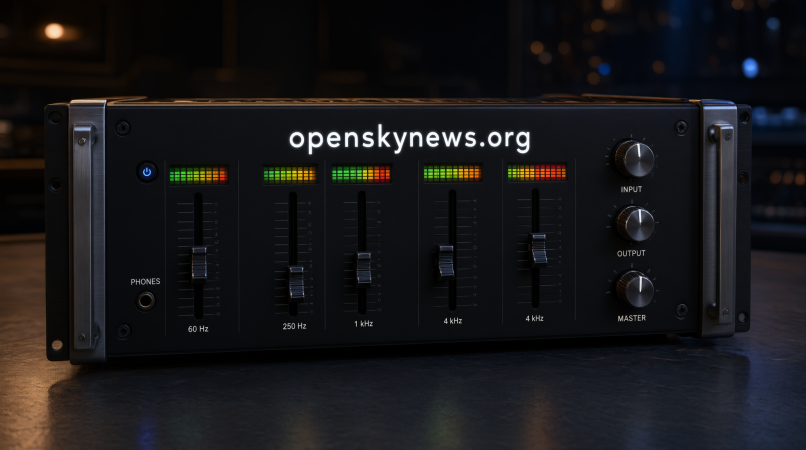
A quad equalizer is an audio tool that adjusts four frequency bands to improve sound quality. It helps control bass, midrange, and treble for clearer vocals, balanced music, and better audio in gaming, movies, and speaker systems.
What Is a Quad Equalizer?
A quad equalizer is an audio tool that adjusts four frequency bands to change how sound is heard. It helps control bass, midrange, and treble for a more balanced listening experience. The exact controls depend on the device or software.
A four-band EQ can improve music, dialogue, gaming audio, and recordings. It allows users to adjust specific parts of sound without changing the entire volume. The term “quad” can have different meanings, so check the product specifications before choosing a device.
How Does a Quad Equalizer Work?
A quad equalizer changes the level of selected frequencies in an audio signal. You can boost a frequency range or reduce it to correct an unwanted sound. This process is called audio equalization.
Each adjustment is measured in decibels (dB). Small changes often produce better results than large boosts. The goal is to improve sound quality without creating distortion or making the audio unnatural.
Understanding the Four Frequency Bands
A four-band equalizer commonly controls low, low-mid, high-mid, and high frequencies. These ranges affect different parts of music and speech. Their exact frequency limits depend on the equalizer model.
Low Frequencies: Bass
Low frequencies provide depth and power to music. They affect kick drums, bass guitars, and deep sound effects. A small boost can add weight, but excessive bass may make audio muddy.
Low-Mid Frequencies: Warmth
Low-mid frequencies add body to voices and instruments. Too much energy can make music sound thick or boxy. A slight reduction may improve clarity without removing all the warmth.
High-Mid Frequencies: Vocal Clarity
High-mid frequencies help voices and instruments stand out. Adjusting this range can make dialogue easier to understand. Excessive boosting, however, may make voices sound harsh.
High Frequencies: Treble
High frequencies add brightness and detail. They affect cymbals, sharp speech sounds, and the upper tones of instruments. Reduce treble slightly if the sound becomes sharp or tiring.
Types of Quad Equalizers
A graphic equalizer uses fixed frequency controls, making it easy to operate. A parametric equalizer offers more precise adjustments through frequency selection and bandwidth controls. A semi-parametric model provides some adjustable settings while keeping others fixed.
Digital and software equalizers process audio through digital systems. They may include presets, visual displays, and custom profiles. The best type depends on your equipment and how much control you need.
Quad Equalizer vs. Four-Channel Equalizer
A four-band equalizer controls four frequency ranges. A four-channel equalizer may refer to equipment that processes four separate audio channels. These terms describe different functions and should not be confused.
Some systems support both frequency adjustment and independent channels. For example, car audio equipment may provide separate front and rear speaker controls. Always check the specifications to confirm which features a device supports.
Important Features of a Quad Equalizer
Gain control determines how much a frequency band rises or falls. Some models also offer an adjustable center frequency and Q factor, which control the location and width of an adjustment. These features provide greater precision.
Other useful options include EQ bypass, output gain adjustment, channel linking, and saved audio presets. High-pass and low-pass filters may also be available. More advanced models can provide real-time frequency analysis to help users examine audio.
Benefits of Using a Quad Equalizer
A quad equalizer can improve tonal balance and help reduce muddy sound. It allows users to adjust bass, improve vocal clarity, and soften excessive treble. These changes can make everyday listening more comfortable.
It can also support headphone customization, music production, and home audio tuning. However, equalization cannot repair damaged equipment or restore missing details in a poor recording. Results depend on the source, device, and settings.
Best Quad Equalizer Settings for Different Uses
The best settings depend on the recording and listening equipment. Start with a flat EQ and make small changes based on what sounds wrong. Avoid copying settings without checking how they work on your own device.
| Listening goal | Suggested adjustment |
|---|---|
| Fuller bass | Slight low-frequency boost |
| Clearer vocals | Small high-mid adjustment |
| Less muddy sound | Gentle low-mid reduction |
| Softer treble | Small high-frequency reduction |
| Natural sound | Keep settings near flat |
For gaming, focus on clear dialogue and balanced effects. For films and podcasts, make speech easy to understand without excessive treble. For car audio, adjust bass carefully because the vehicle cabin can change the sound.
How to Set Up a Quad Equalizer
Start by setting all four bands to neutral. Play a familiar song or voice recording and identify one problem. Adjust the relevant band slightly, then listen again.
Use the bypass function to compare processed and original audio at similar volume levels. This helps you judge whether the change improves the sound. Save your settings only after testing them with different recordings.
Practical Equalizer Adjustments
If music sounds thin, try a small bass boost. If vocals sound buried, reduce excessive low-mid energy before increasing the treble. These adjustments can improve clarity without changing the whole sound.
If audio sounds harsh, reduce the high frequencies slightly. If distortion occurs, lower excessive boosts and check the output level. Make one change at a time so you can identify what works.
Quad Equalizer for Music and Recording
A quad equalizer can help shape vocals, instruments, and complete music mixes. Producers may reduce muddy frequencies or adjust the presence of a vocal track. The aim is to help sounds work together naturally.
Live sound systems also use equalization to adjust microphones and speakers. A basic four-band EQ works for broad changes, while detailed studio work may need a parametric equalizer. The right choice depends on the task.
Common Problems and Fixes
Distorted audio may result from excessive boosts or high output levels. Reduce the gain and lower the volume if the sound becomes harsh. Equalization cannot remove distortion that already exists in a recording.
Muddy sound may come from too much bass, poor speaker placement, or room acoustics. Make small adjustments and test the result. If the equalizer seems ineffective, check that it is enabled and controls the correct audio output.
What a Quad Equalizer Cannot Fix
An equalizer cannot repair broken speakers, faulty cables, or damaged audio equipment. It can change frequency balance, but it cannot restore missing recording details. Poor source quality may remain noticeable after adjustment.
Room reflections and speaker limitations can also affect sound. A four-band EQ may not have enough precision to correct narrow acoustic problems. Better speaker placement or suitable equipment may provide a stronger improvement.
How to Choose the Right Quad Equalizer
Choose an equalizer based on your equipment, budget, and intended use. A graphic equalizer suits simple adjustments, while a parametric model offers more control. Software equalizers may provide useful presets and digital processing features.
Check compatibility, frequency controls, channel support, and ease of use before buying. A basic model may be enough for music listening, while recording work may require advanced features. More controls do not automatically mean better sound.
Conclusion
A quad equalizer offers a simple way to adjust bass, midrange, and treble. It can improve sound balance for music, gaming, films, and recordings when used carefully.
Start with neutral settings, make small changes, and compare the results. The best sound comes from settings that suit your equipment and listening preferences.
Frequently Asked Questions
What is a quad equalizer used for?
It adjusts four frequency ranges to improve tonal balance, bass control, and vocal clarity.
What are the four frequency bands?
They commonly cover low, low-mid, high-mid, and high frequencies. Exact ranges vary by model.
What are the best quad equalizer settings?
Start with flat settings and make small adjustments according to your speakers, headphones, and listening preferences.
Can a quad equalizer improve gaming audio?
Yes, it can change the balance of voices and sound effects, but it cannot guarantee better positional accuracy.
Can equalizer settings damage speakers?
Excessive boosts at high volume can increase distortion and speaker strain. Use moderate settings and lower the volume if distortion occurs.